

Quick answer: To design a website, decide what it must do, list the pages that support that goal, write the content, sketch the structure, then design and build it. Design comes after planning, not before. Skipping the plan is a common reason a site looks fine but doesn't bring in calls, bookings or sales.
This guide follows the order a real web project runs. It works whether you want to design your own website from scratch or hand it to a studio like ours. For the full picture of what we offer, see our web design and development services.
What is the right order to design a website?
Most projects that go smoothly follow the same sequence:
- Goals and audience
- Page list and site structure
- Content (words, photos, proof)
- Layout and visual design
- Build and mobile testing
- Launch and ongoing care
The order matters because each step feeds the next. Pages depend on goals. Layouts depend on content. If you pick colors and fonts first, you end up forcing real content into a design that wasn't made for it.
Step 1: What should your website actually do?
Start with one sentence: "This website exists so that [who] can [do what]." A restaurant site might exist so hungry locals can find the menu and book a table. A contractor's site might exist so homeowners can see past work and request a quote.
Then name your main action. That might be a phone call, a form, a booking or a purchase. Everything on the site should point toward it.
Also write down who you are talking to. Think about what they already know, what worries them and what they need to see before they trust you. This is general planning guidance, not a formula, but it keeps every later decision honest.

Step 2: Which pages do you need, and how should they connect?
Plan the pages before you think about how they look. Most small business sites do well with a short, clear set rather than dozens of thin pages.
| Page | Job it does | Typical content |
|---|---|---|
| Home | Say who you are and send people onward | Short intro, main service links, proof, contact action |
| Services | Explain what you offer | One section or page per service, plain descriptions |
| About | Build trust | Your story, team, location |
| Portfolio or gallery | Show real work | Photos, short project notes |
| Contact | Make the next step easy | Phone, form, hours, map |
| Shop (if selling online) | Let people buy | Products, cart, checkout |
Keep navigation simple. Aim for a handful of top-level menu items, and make sure any page can be reached in a few clicks from the home page. If you plan to sell products, that changes the structure considerably, so look at what a dedicated ecommerce website involves before you commit to a layout.
A quick structure test: show the page list to someone outside your business. If they can't guess where to find your prices or your phone number, rework it.
Step 3: Why should you write content before designing?
Placeholder text hides problems. A headline that fits neatly in a mockup as "Your headline here" may need three lines once you write the real one.
Before design starts, gather:
- Headlines and short descriptions for each page
- Your logo files and brand colors
- Real photos of your work, team or location
- Proof such as reviews, certifications or years in business, only what you can back up
- Contact details and opening hours
If you don't have a logo yet, sort that out first, because it sets the colors and tone for the whole site. Our logo design team can help, and a consistent brand across your site, signage and print makes you look established from the first visit.
Write for scanning. Use short paragraphs, clear headings and plain words. Say what you do, where you do it and what the visitor should do next.
Step 4: How do you handle layout, visuals and responsive design?
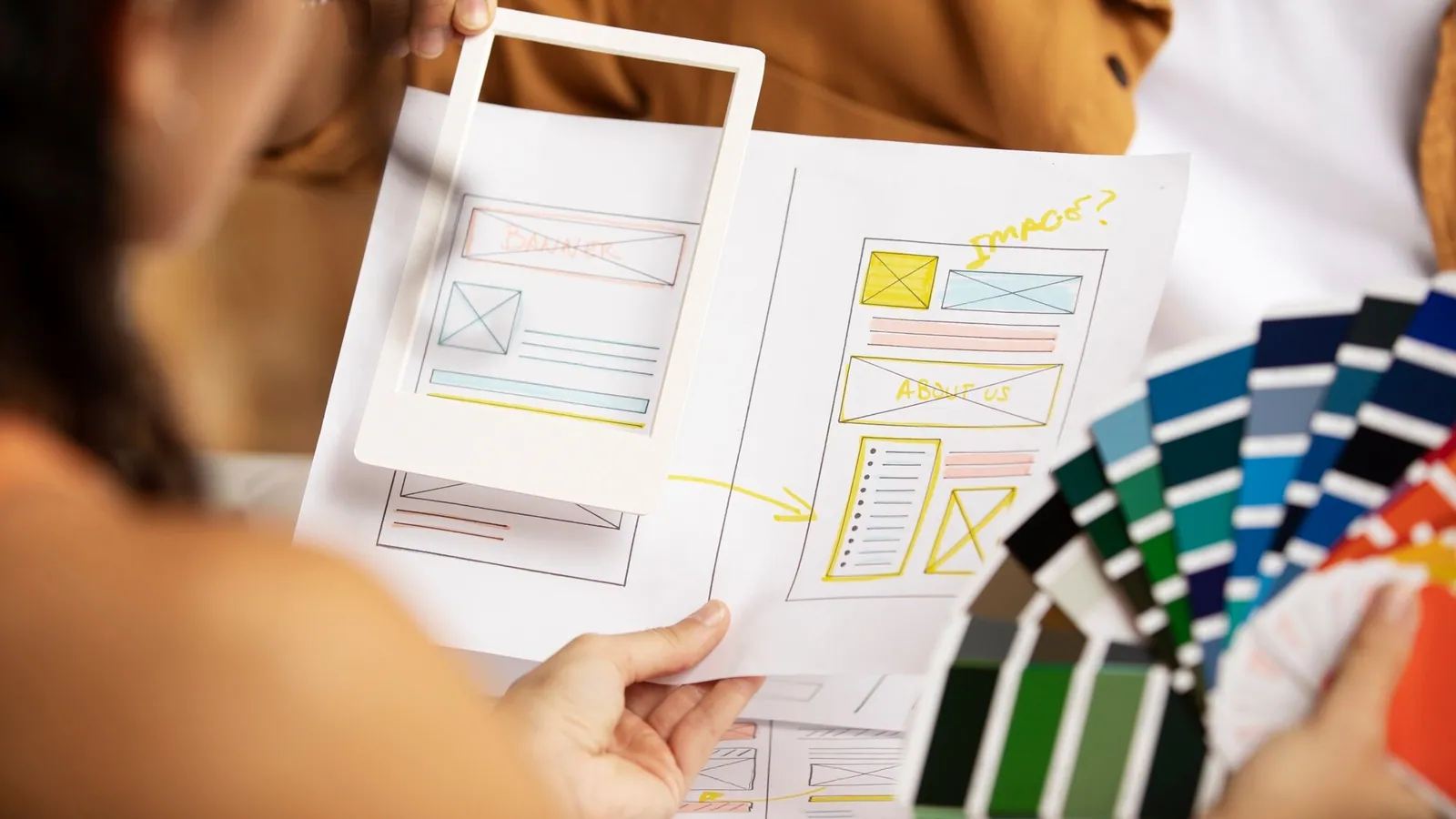
Now the pixels. Start with simple wireframes, which are rough boxes showing where the headline, image, text and button go on each page. Getting the arrangement right is easier in rough form than in a polished design.
Then apply your brand: colors, fonts, image style and spacing. A few rules hold up well:
- Give the main action button a color that stands out from the rest of the page.
- Use generous spacing so text is easy to read.
- Limit yourself to two fonts.
- Use real photos where you can, since visitors notice generic ones.
What is responsive web design? It means the site adapts to the screen it's viewed on, so the same pages work on a phone, tablet and desktop. Layouts reflow, menus collapse and text resizes. Many visitors to local business sites arrive on phones, so design the mobile view deliberately instead of treating it as an afterthought. Test tap targets, text size and how fast the contact button can be reached.
Step 5: Which tools can you use, and what should it cost?
You have three realistic routes:
| Route | Good for | Trade-off |
|---|---|---|
| Website builder (drag and drop) | Simple sites, tight timelines, owners who enjoy tinkering | You do the planning, writing and design decisions yourself |
| CMS such as WordPress | Sites that will grow, blogs, more control | More setup and maintenance |
| Studio build | Owners who want their time back and a finished result | You work with a team and share the content early |
If you design your own website, the tool matters less than the plan above. A builder with a good plan beats custom code with no plan. Whichever you choose, check three things:
- You own your domain and your content.
- The site loads quickly on mobile.
- You can edit text without calling a developer.
Basic search setup belongs in the build too: clear page titles, descriptive headings, image descriptions and a sensible URL for each page. These help search engines understand the site, though no one can promise a particular ranking.
How should you judge a website price?
Compare scope instead of the headline number. Ask what is included:
- How many pages you get
- Whether a person builds the site or it is generated
- Who owns the finished site
- Whether mobile design is part of the work
- What ongoing costs follow
A low upfront price can come with hidden recurring fees, and a high one can include pages you'll never use. Our own website plans are $49/mo and $99/mo, with renewal at $200/yr. You can see the range of work we've produced in our website portfolio to judge quality before you talk to anyone.
What do we do differently when we design websites?
We're a Miami studio, and we've served about 25,000 customers. Here is what that looks like in a web project:
- Human designers, never AI. A person plans and designs your site, so it reflects your business instead of a generic pattern.
- 100% copyright ownership. The design work is yours.
- A real person to talk to. You can reach us to talk through your plan, and we're open 7 days a week.
- Web and print under one roof. We run our own print press in Miami, so your business cards, flyers and signage can match your site in color and style.
- Track record you can check. We have 1,745 Google reviews with a 5.0 rating, plus 1,176 on Trustpilot, and 3,662 reviews in total across Google, Trustpilot and Facebook.
The plan in this article is the same one we follow with clients. If you'd rather not do every step yourself, we can take on the planning, design and build while you supply the knowledge of your business.
What are the golden rules to remember?
People often ask for five golden rules of a website. Based on the steps above, these are the ones we'd keep:
- Have one clear goal for the site.
- Make navigation obvious.
- Write real content before designing.
- Design for phones from the start, not as an afterthought.
- Keep it current, because outdated hours or prices cost you trust.
If you want a site planned and built this way, start with our web design and development page and talk to our team.

|
3 days ago
|

